


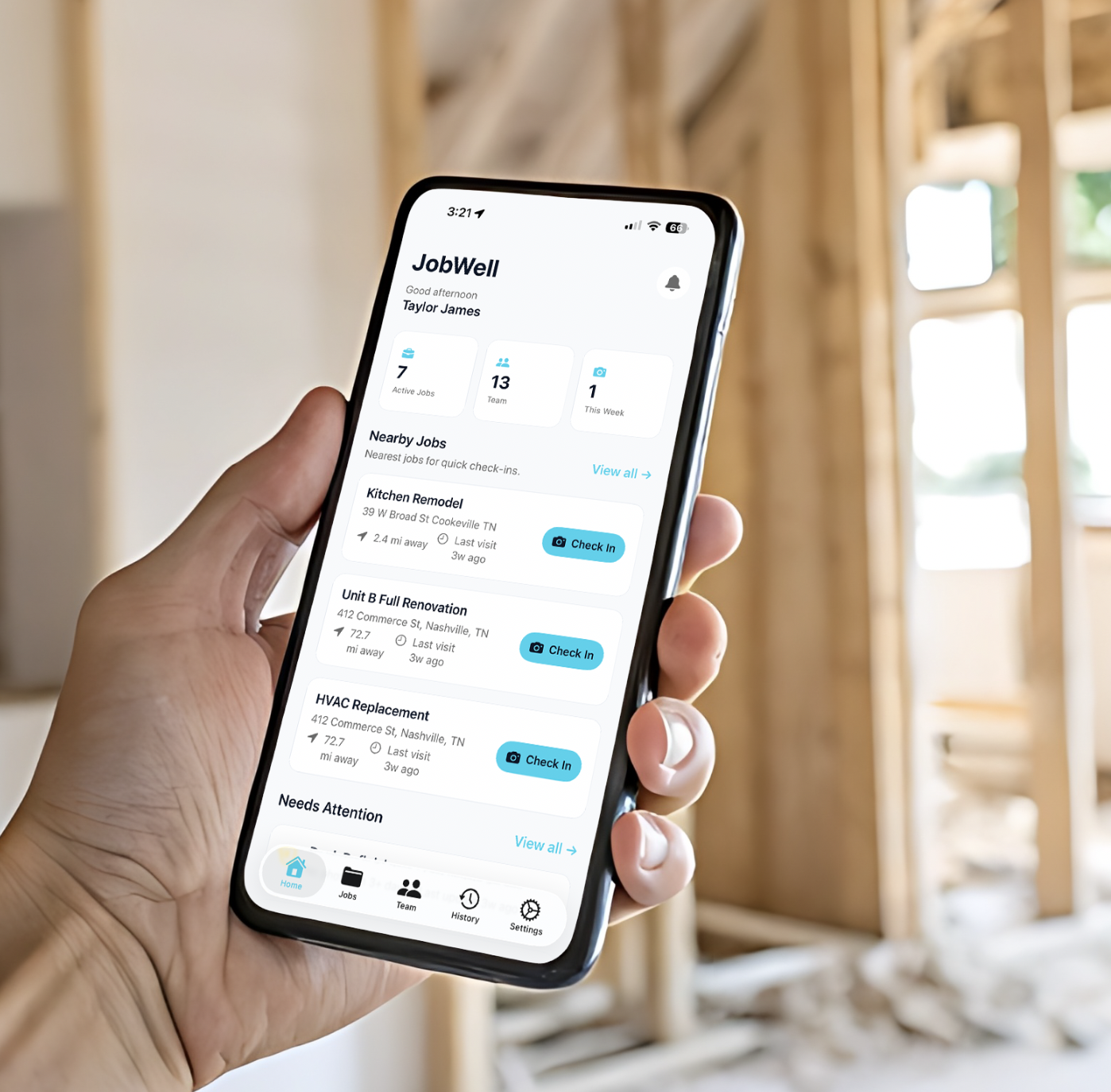
Geo-verified · Timestamped · Built for contractors, trades, and owners

Proof of Work. Peace of Mind.

JobWell helps crews document work on-site with photos, video, notes, and check-ins. Then it turns that field activity into a clean timeline owners and clients can review remotely.

On-site proof
Geo + timestamp
Live updates
Real-time timeline
On the record
Every job documented
Contractor using JobWell on-site

For contractors & trades

Capture proof once on-site instead of rebuilding the story later from texts, camera roll photos, and memory.

For owners & managers

See what happened at each property without driving over, interrupting the crew, or wondering if the visit happened.

For recurring service work

Perfect for lawn, pool, pest, cleaning, and maintenance teams who need visit-by-visit proof over time.

The story

Built around the moment the work happens

The strongest part of JobWell isn’t just storage — it’s the chain from field capture to owner confidence.

1 · On-site capture

Crew documents work while they’re standing on the job site

Photos, video clips, notes, timestamps, and geo-verification are captured in the moment — not recreated later from a camera roll.

1.1
Fast check-in workflow built for trades in the field
1.2
Geo-fenced proof that the visit happened on-site
1.3
Every update is tied to a real job and real user

2 · Remote visibility

Owners and clients see progress remotely without chasing the crew

Instead of texting for updates or waiting for end-of-day recaps, owners get a clean timeline they can review from anywhere.

2.1
Live job timeline with before, during, and after proof
2.2
Cleaner communication with fewer status-call interruptions
3 · Accountability

Every visit turns into a timeline the whole job can stand on

When someone asks what happened, when it happened, or whether the crew was there, JobWell gives you a record instead of a debate.

3.1
Timestamped history for disputes, approvals, and callbacks
3.2
PDF reports for handoff, insurance, HOA, or owners
3.3
Better proof for recurring services and repeat visits
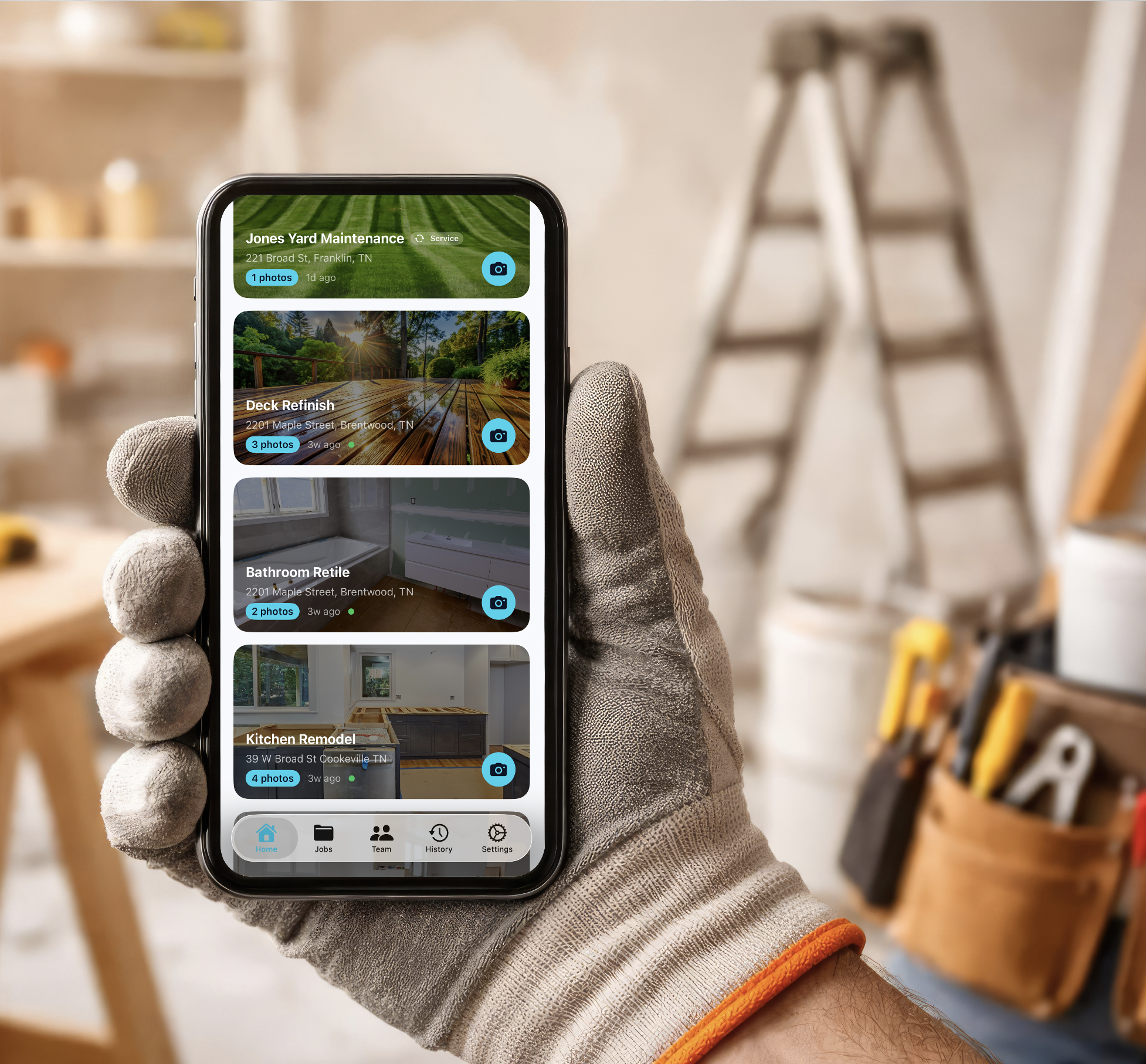

How it works

Simple workflow. Strong proof.

1
Create a property & job
Add the address and job details. JobWell is ready for field check-ins right away.
2
Invite your crew
Subs and crew join free, so the person doing the work can document it on the spot.
3
Capture progress onsite
Photos, notes, and video build a timestamped job log while the work is actually happening.
4
Share the timeline
Owners review progress remotely, and you can export a report when the job is done.
What JobWell makes easier

Less explaining. More proof.

Stronger than a photo dump. Simpler than a bloated project-management tool.

Field-first capture
Built for fast job-site documentation, not office workflows or post-job cleanup.
Geo-verified check-ins
Show the crew was actually on-site when the update was captured.
Free crew participation
Invite crew and subs without adding friction or forcing everyone onto a paid seat immediately.
Owner-facing portal
Give owners a cleaner way to follow progress than scattered texts and one-off update emails.
Timeline + report trail
Keep a usable project history for approvals, disputes, callbacks, handoff, and insurance.
Recurring service visibility
Each visit can stand on its own, which makes JobWell a fit for repeat service routes too.
JobWell in the field
Example use cases
Roofing / exterior jobs
Capture before, tear-off, underlayment, install, and completion so the owner sees real progress without climbing a ladder.
Turnovers / maintenance
Create a visit trail for punch lists, repairs, and make-readies across multiple properties.
Pool, lawn, pest, cleaning
Show the visit happened, what was serviced, and what condition the property was left in after each stop.
GC + subs coordination
Let each trade document their scope while the GC keeps one clean timeline for the whole job.
What people are saying

Trusted by contractors and owners

I used to spend 20 minutes after every job sending update photos. Now I just share the timeline and move on to the next stop.
I manage properties remotely. JobWell gives me the kind of visibility I usually only get if I drive there myself.
Pricing

Plans for every side of the job

Pricing for contractors, trades, and property owners. Annual plans get 2 months free.

For Contractors / Trades
Free
$0
1 seat · 1 active job · photos only
  • 1 active job
  • 1 seat
  • Photos only
Solo
$9.99/mo
1 seat · unlimited jobs · 50 videos/mo
  • Unlimited jobs
  • Unlimited photos
  • 50 videos per month
  • Video stored forever
Pro
Popular
$19.99/mo
3 seats · unlimited jobs · 100 videos/mo
  • 3 included seats
  • Unlimited photos
  • Extra seats at $6/mo
  • Video packs at $5/mo per 50
GC
$39.99/mo
6 seats · unlimited jobs · 250 videos/mo
  • 6 included seats
  • Unlimited photos
  • Best for larger crews
  • Full contractor video workflow
For Property Owners
Free
$0
1 property · 1 active job · photos only
  • 1 property
  • 1 active job
  • No video upload
Pro
$9.99/mo
3 properties · unlimited jobs · photos only
  • 3 properties
  • Unlimited jobs
  • Unlimited photos
  • Can view contractor video
Plus
Popular
$19.99/mo
10 properties · unlimited jobs
  • 10 properties
  • Unlimited jobs
  • Unlimited photos
  • Video-enabled owner access
Business
$39.99/mo
Unlimited properties · unlimited jobs
  • Unlimited properties
  • Unlimited jobs
  • Unlimited photos
  • Best fit for portfolios
FAQ

Questions, answered

Is it really free for contractors joining a job?
Yes. If you’re invited to a job by an owner, GC, or another contractor, you can join and document work without paying. Paid plans are for teams creating and managing their own jobs at scale.
Do property owners need to download the app?
No. Owners can view the timeline and photos in a browser through a shared link. That makes remote visibility easy without asking clients to install anything first.
What makes JobWell different from a shared photo album?
JobWell connects the media to a job, a user, a place, and a timeline. That’s the difference between ‘here are some photos’ and ‘here’s proof of what happened.’
Does this work for recurring service businesses too?
Yes. It’s a strong fit for route-based or repeat visits where clients want confirmation the team showed up and what condition the property was in after service.
What happens when I’m offline?
Photos save locally first and sync when service returns, so crews can keep documenting work even with weak reception on-site.
Can I cancel anytime?
Yes. Paid plans are managed on the web through Stripe, and you can cancel there anytime.

I’m a contractor or in the trades

Start documenting jobs, visits, and proof-of-work for free.

I own or manage properties

See the owner-side experience and how remote visibility works.